




500+ TTS Voices for Your Stream
Let your viewers send messages read aloud in famous character and celebrity voices. Choose voices that fit your community, configure moderation, and play messages through your Blerp browser source.
Your Chat Moves Fast. Messages Get Lost. TTS Fixes That.
Messages get buried in fast-moving chat. TTS (text-to-speech) reads viewer messages aloud on stream, giving you another way to react and include your community. Choose voices that fit your channel, set message limits and moderation, and test playback before going live. Blerp supports Twitch, Kick, and YouTube, with setup and payment options that vary by platform.
Add TTS to Your Stream in 3 Steps
Connect
Sign in to Blerp and open the TTS library. Twitch streamers can install the Blerp extension on their channel.
Choose Voices
Choose voices for your community, then configure pricing, message limits, and moderation.
Connect OBS & Test
Add your Blerp browser source to OBS or your streaming software. Send a test TTS message and check the sound before going live.
More Than Just TTS — Real Voice Interactions
500+ voices, interactive features, and full control over your stream
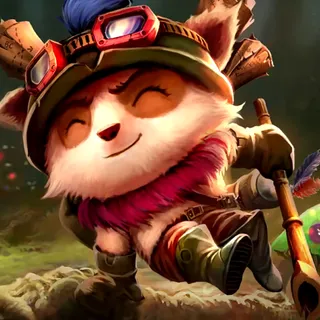

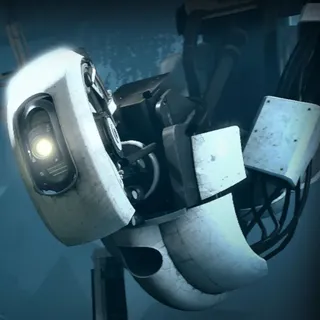
500+ Character & Celebrity Voices
From iconic characters to celebrity impressions to your favorite streamers. Your viewers pick the voice they want—no boring robot sounds.
Ask Character Questions
Viewers don't just send messages—they have conversations. Type a question, and the character actually answers it. Dynamic responses, not literal readings.
Create Your Own Voice
Create a custom TTS voice of yourself. Let your viewers trigger messages in YOUR voice. Leads to some of the funniest moments on stream.
Voice Filters & TTS Pets
Add effects like "phone call" or "thought bubble" to make messages more entertaining. Or add a TTS Pet—an animated character that reads messages on stream.
Full Moderation Control
Enable the moderation queue to review TTS submissions before playback. Configure word censorship and your own banned words, then test your settings before going live.
Character Memories
Give your TTS voices context and personality. Add memories so they give personalized answers instead of generic responses.
Choose the TTS Setup That Fits Your Stream
Creating a Blerp account is free. TTS options, usage allowances, and viewer payment methods vary by platform and plan. Check current plans for custom voices and channel point TTS before choosing your setup.
Need a walkthrough? Follow the Twitch TTS setup guide.
Frequently Asked Questions
One Extension. Everything You Need.
TTS is just the start. Blerp gives you sound alerts, video alerts, walk-on sounds, and more—all in one place.
Sound Alerts
1M+ sounds your viewers can browse and send. Games, memes, TV shows—no uploads needed.
Video Alerts
1K+ meme videos, VFX overlays, and animations. Fullscreen takeovers or positionable alerts.
Media Share
Let viewers play YouTube, TikTok, Clips & more. Moderation queue + spam filter included.
Subathon Timer
Built-in timer for marathon streams. Every interaction adds time.
Twitch Channel Points
Let viewers redeem sounds with channel points. 50+ free rewards, unlimited with bits.
Kick Channel Points
Connect sounds and TTS to native Kick Channel Points rewards.
VTuber Pet
Add an interactive pet to VTube Studio. Lip-syncs to TTS, speaks in any voice, and answers viewer questions in character.
VTube Studio Integration
Let viewers trigger the expressions and hotkeys already in your model, plus 27 built-in visual effects.
Minecraft Integration
500+ in-game actions viewers can trigger. Spawn mobs, drop loot, change the weather, and leave companions named after them.
Give Your Viewers a Voice
Join 40,000+ streamers who've made their streams more interactive with Blerp TTS
Free to startNo credit cardFast setup

Trusted by 40,000+ Streamers
On Twitch, Kick, YouTube, and more