
Add Sound Alerts to Kick Channel Points
Turn Kick's native Channel Points into sounds, TTS and video moments for your community. Choose your rewards in Blerp, connect your browser source, and let viewers redeem from Kick chat.
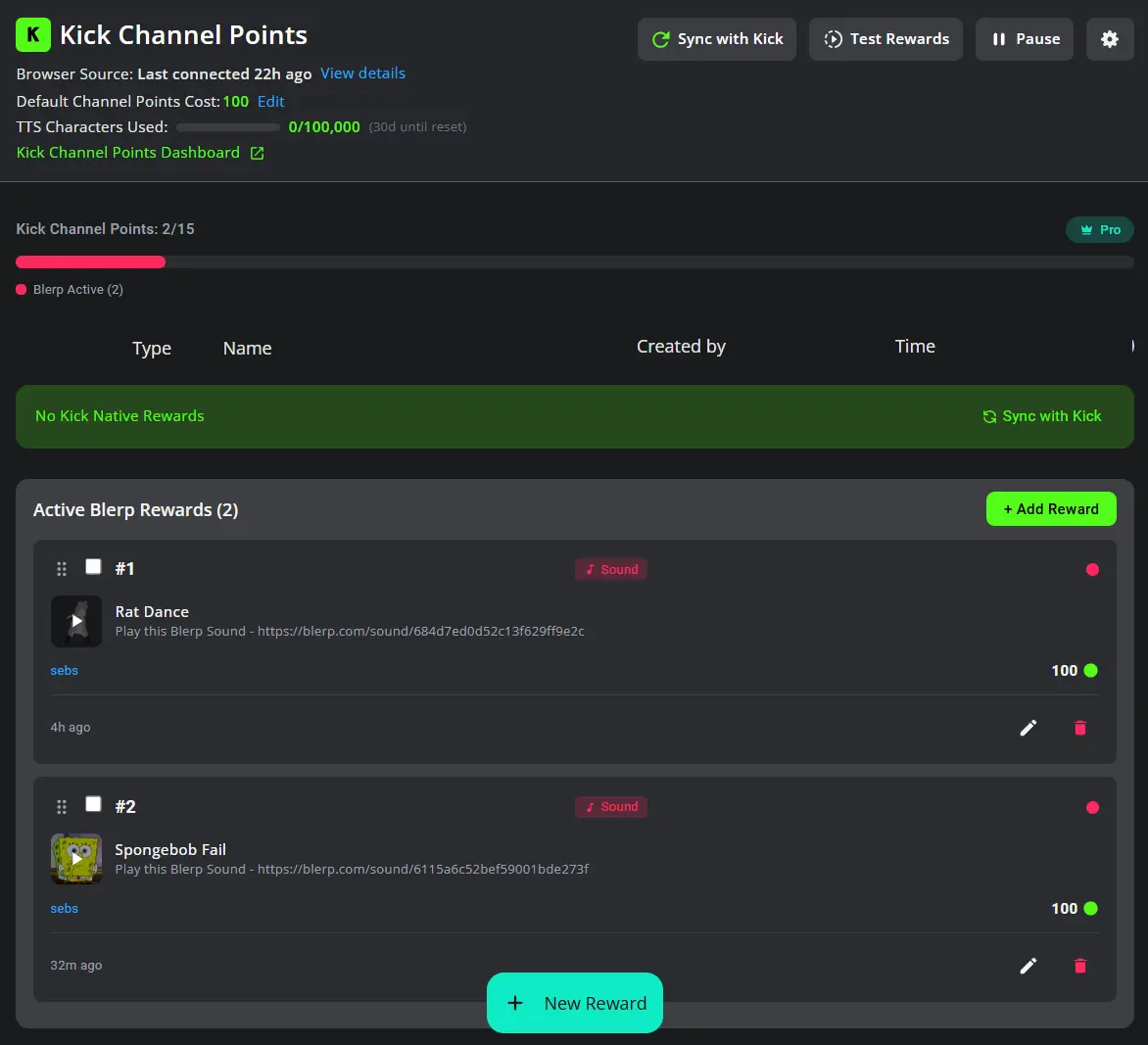
Give Kick Channel Points a Sound Your Community Knows. Make Rewards Part of Your Stream.
Kick provides the points and rewards menu. Blerp adds the sound, voice or video that plays when a viewer redeems. Build a small set of rewards around your channel's catchphrases, celebrations and running jokes, then set costs and cooldowns that suit your stream.
Set Up Kick Channel Points in 3 Steps
Connect
Enable Channel Points on Kick, connect your Kick account to Blerp, then open Blerp's Channel Points dashboard.
Browse
Choose a sound, TTS or video reward. Set its point cost and controls; paid features depend on your plan.
Connect Your Overlay
Add the Blerp browser source to OBS or your streaming software, then test a redemption and check the volume.
Everything You Need to Engage
Make your stream unforgettable with sounds, voices, and videos
Sound Alerts from 1M+ Library
Choose sounds from the Blerp library and make them available as native Kick rewards. Give your community familiar catchphrases and reactions to share.
Kick TTS Voices
Create voice rewards that read viewer messages on stream. TTS features depend on your Blerp plan.
Video Alerts
Add video reactions to your rewards so viewers can celebrate wins and memorable moments together.
Native Kick Rewards
Viewers redeem from Kick's own Channel Points menu. Blerp plays the linked alert through your connected browser source.
Full Control
Your stream, your rules. Set costs and cooldowns so viewers have fun without derailing your content.
Start Free. Choose Paid Features When You Need Them.
Free Kick Rewards
Start with up to four Blerp-managed rewards. Choose sounds for your community and set costs and cooldowns.
More Rewards and TTS
Paid plans unlock more Blerp reward slots and TTS features. Kick’s channel reward limit still applies, including your existing rewards.
Frequently Asked Questions
One Extension. Everything You Need.
Channel Points are just the start. Blerp gives you all the tools to engage and monetize your stream.
Sound Alerts
1M+ sounds your viewers can browse and send. Games, memes, TV shows—no uploads needed.
TTS Voices
500+ character & celebrity voices. Viewers send messages read aloud on stream.
Video Alerts
1K+ meme videos, VFX overlays, and animations. Fullscreen takeovers or positionable alerts.
Media Share
Let viewers play YouTube, TikTok, Clips & more. Moderation queue + spam filter included.
Subathon Timer
Built-in timer for marathon streams. Every interaction adds time.
Twitch Channel Points
Let viewers redeem sounds with channel points. 50+ free rewards, unlimited with bits.
VTuber Pet
Add an interactive pet to VTube Studio. Lip-syncs to TTS, speaks in any voice, and answers viewer questions in character.
VTube Studio Integration
Let viewers trigger the expressions and hotkeys already in your model, plus 27 built-in visual effects.
Minecraft Integration
500+ in-game actions viewers can trigger. Spawn mobs, drop loot, change the weather, and leave companions named after them.
Give Your Viewers Something to Spend Points On
Start with a reward your community will recognize and want to use.
Free to startNo credit cardNative Kick rewards

Creators Using Blerp
On Twitch, Kick, YouTube, and more